


The problem
Originators used three separate tools to upload instruments, check them and manage pools. When an upload failed, the platform did not explain enough. Users went back to Excel to work out what had happened.
During job shadowing, tracing one rejection took 45 to 180 minutes. I wanted to reduce that work while keeping the reviews required by risk and compliance.
- 01
Users could not tell why a record failed. They had to investigate the same issue and upload the file again.
- 02
Incomplete records were difficult to handle. Users needed a way to hold them for review rather than treating them as complete or rejecting them.
- 03
The pool context was missing. It was hard to see which corporate and pool an instrument belonged to.
- 04
People did not know whether a check was still running. They refreshed the page when compliance checks took longer, which interrupted the process.
My process
I started by looking at how originators dealt with a failed upload. From there, I worked on the navigation, the review steps and the screens people needed to fix a record.
I discussed exceptions with originators, risk and compliance. I also worked with engineering on checks that take time or depend on another service. These conversations helped me decide what the interface should show while users wait or recover from a problem.

What I focused on
The research showed that fixing rejected records was a good place to start. I focused on explaining the result of each check, letting users correct the affected data and keeping the pool information nearby.
My work included research, information architecture, prototypes and reusable components. Risk and compliance helped decide which issues users could fix themselves and which needed review. Engineering helped define the loading, waiting and error states.
01 · Research
Interviews and job shadowing
I interviewed eight people across originators, risk and compliance. They described a repeated pattern: enter data, receive a rejection and use Excel to investigate. Two job shadowing sessions helped me see how much time this took.

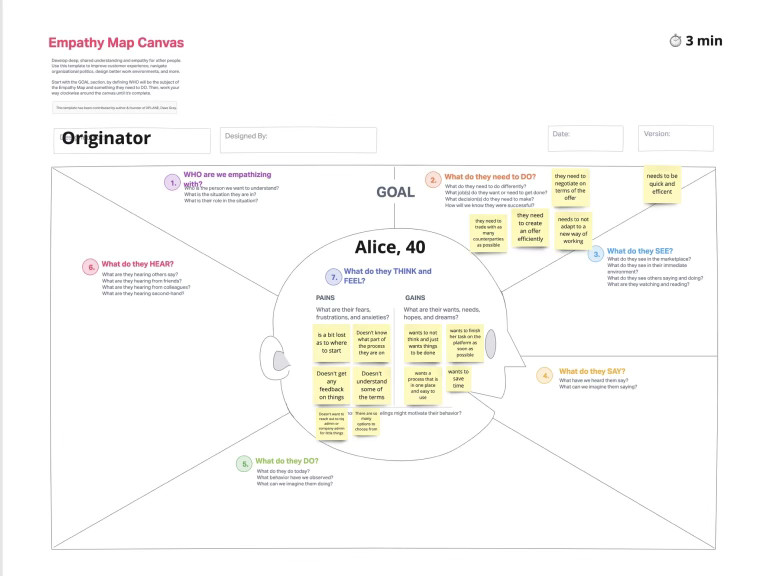
Following an upload from start to finish
Watching an upload helped me see where users lost track of the record, the failed rule and the pool. I used that sequence to work out where explanations and recovery actions belonged.
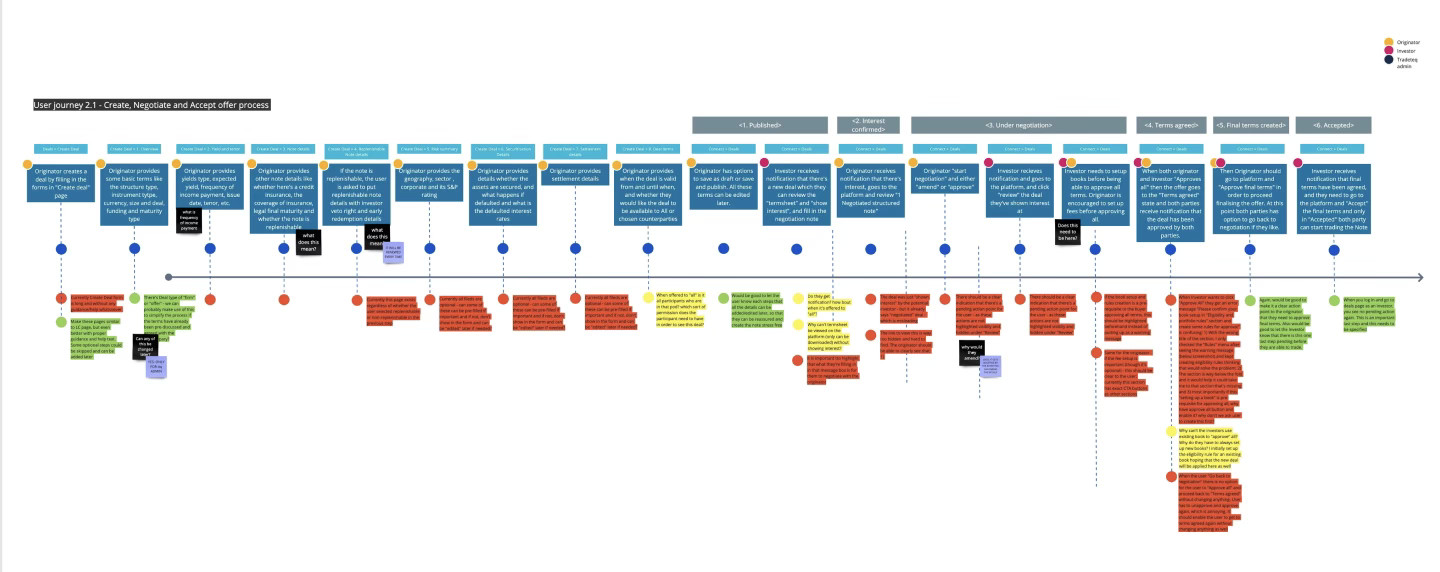
Mapping exceptions with risk and compliance
In two workshops, risk and compliance helped me map cases the existing rules did not cover. These included records that needed to be held for review and exceptions that needed an override with a recorded reason.
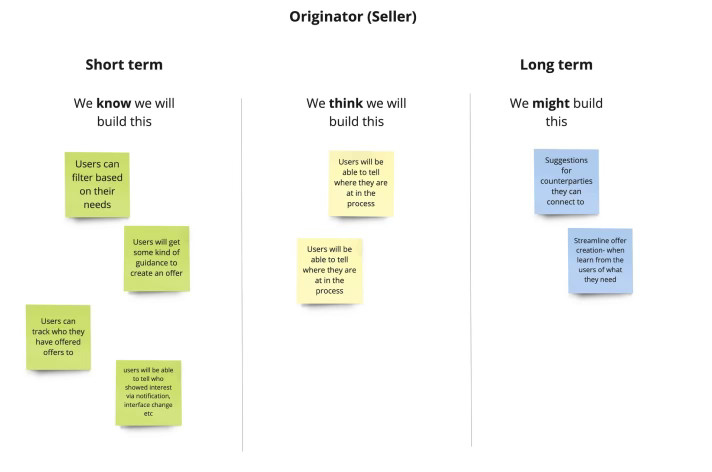
The earlier interface
The offer form and marketplace list below show the starting point. Error messages were separate from the information needed to fix them, and the instrument records did not show enough pool context.


02 · Development
What the new workflow needed to do
- 01
Explain the failed check. Show the rule and the value that caused the problem.
- 02
Let users fix the affected record. Keep the correction beside the instrument so they do not need to start again in Excel.
- 03
Show when another person needs to review it. A data correction, a policy exception and a compliance decision need different actions.
I revised the navigation and explored three ideas in low fidelity. I also mapped the checks, possible outcomes and the person responsible for each next step.


03 · Pivot
Changes after testing
The first dashboard showed too much at once in testing. Risk also raised concerns about how overrides worked. I simplified the dashboard and made the exception review a separate process with a named reviewer.
Dashboard
I reduced the overview to four main indicators and added clearer routes to records that needed attention.
Error recovery
I put the rule and reason beside the affected record, with an action for the user to take.
Waiting states
I showed which check was running and how long it was expected to take.
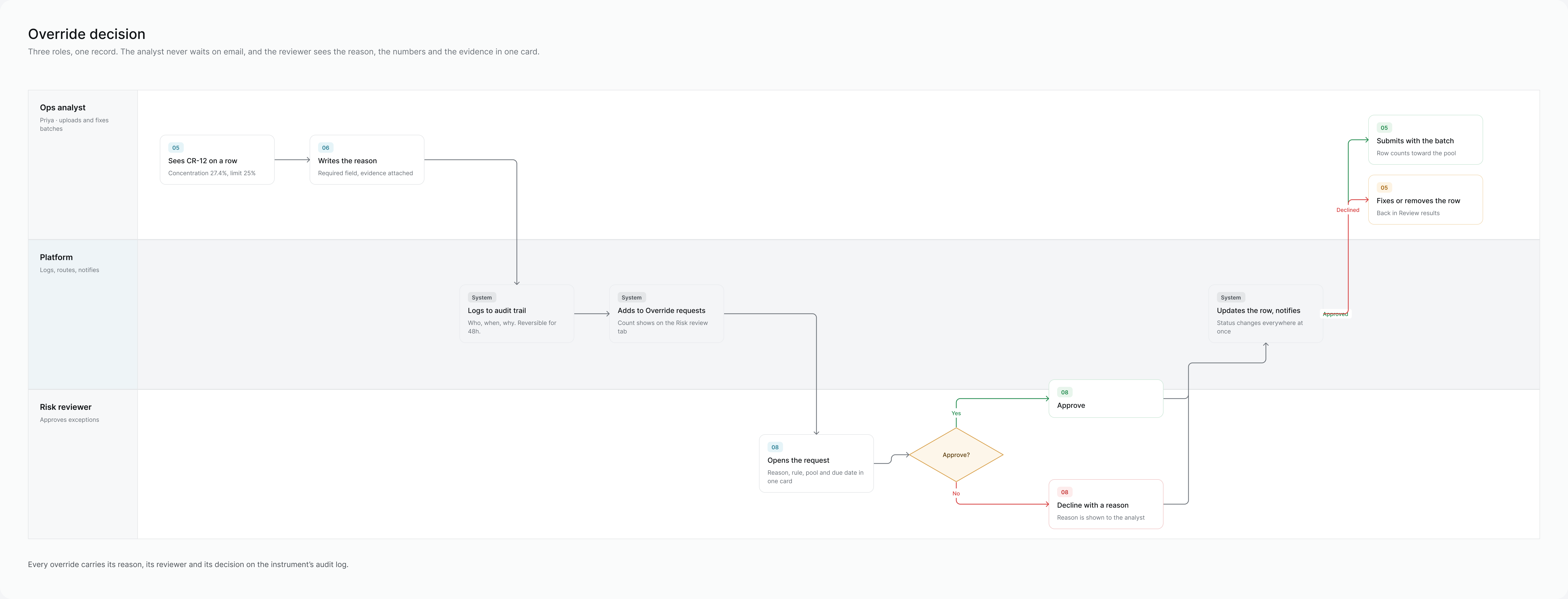
Reviewing an override
The analyst must give a reason for an override, and risk reviews it separately. An approved exception can be reversed for 48 hours. Possible sanctions matches go to compliance rather than staying in the batch.
Working through errors and waiting states
Check the file first
The platform checks the file format and headers before checking individual rows. Users resolve missing mappings and format issues first, so one file problem does not appear as hundreds of record errors.
Keep completed results
If a sanctions service is slow or unavailable, completed checks are kept. The interface names the service, shows when it can retry and gives the time of the last successful list update.
Check a corrected record again
After a user corrects a record, the platform runs its checks again. A policy exception needs a written reason and review. A possible sanctions match goes to compliance.
Record the review
The override records the analyst, the risk reviewer and the reason for the decision. It remains reversible for 48 hours.
I included these states in the validation and review flows, so the handoff covered what happened when a task could not continue.
Prototype flows
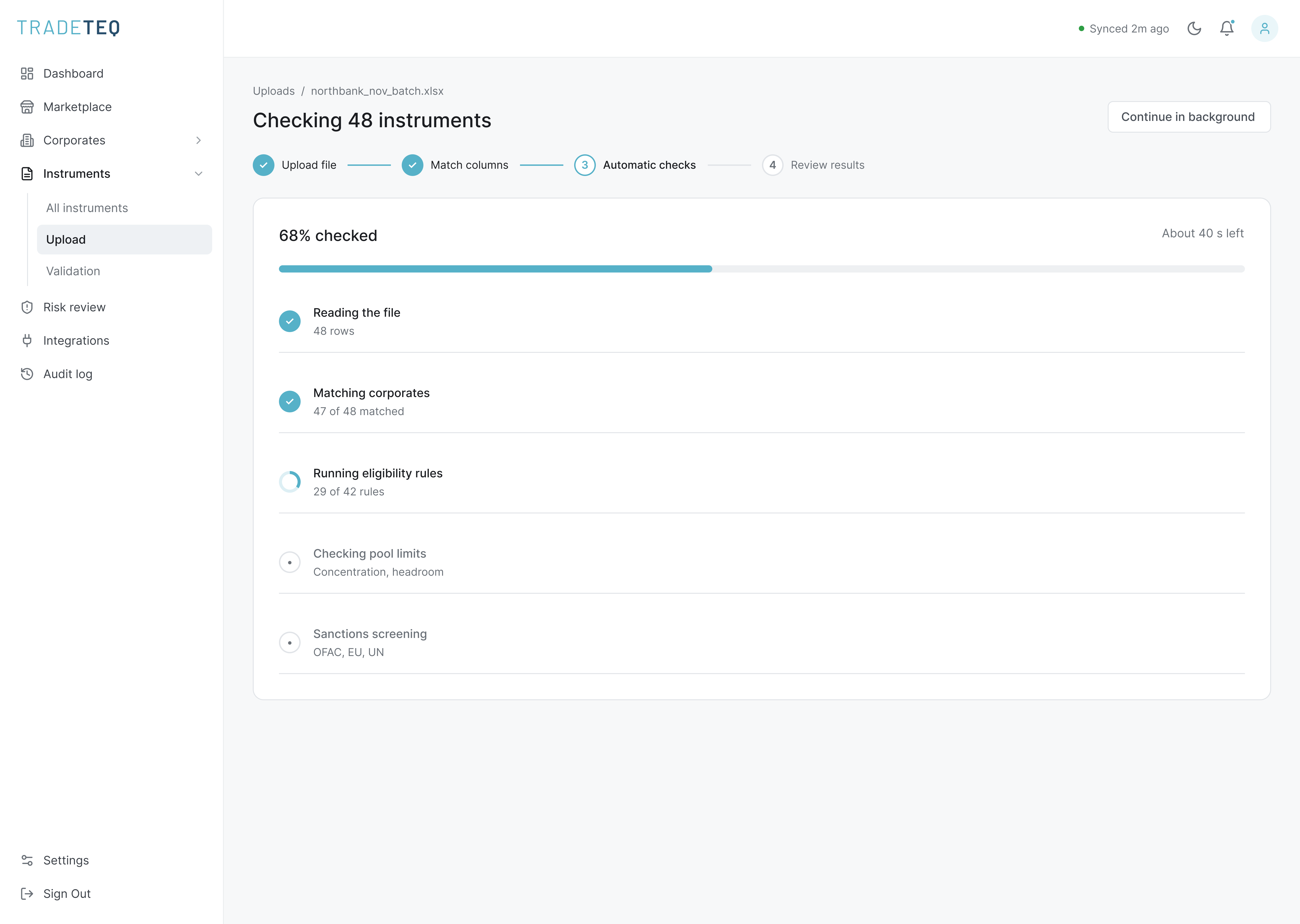
I connected the batch upload, error recovery, exception review and single instrument flows. The blue paths below show which action opens each screen, including the routes back after a correction or review.

The redesigned platform
The new workflow brings upload, validation and pool management together. Users can review a batch, understand what failed, correct a record and see its status in the pool.
01. Mapping the uploaded columns
Users can compare the uploaded columns with the fields the platform needs. They can review the suggested match and save the mapping for the next upload.

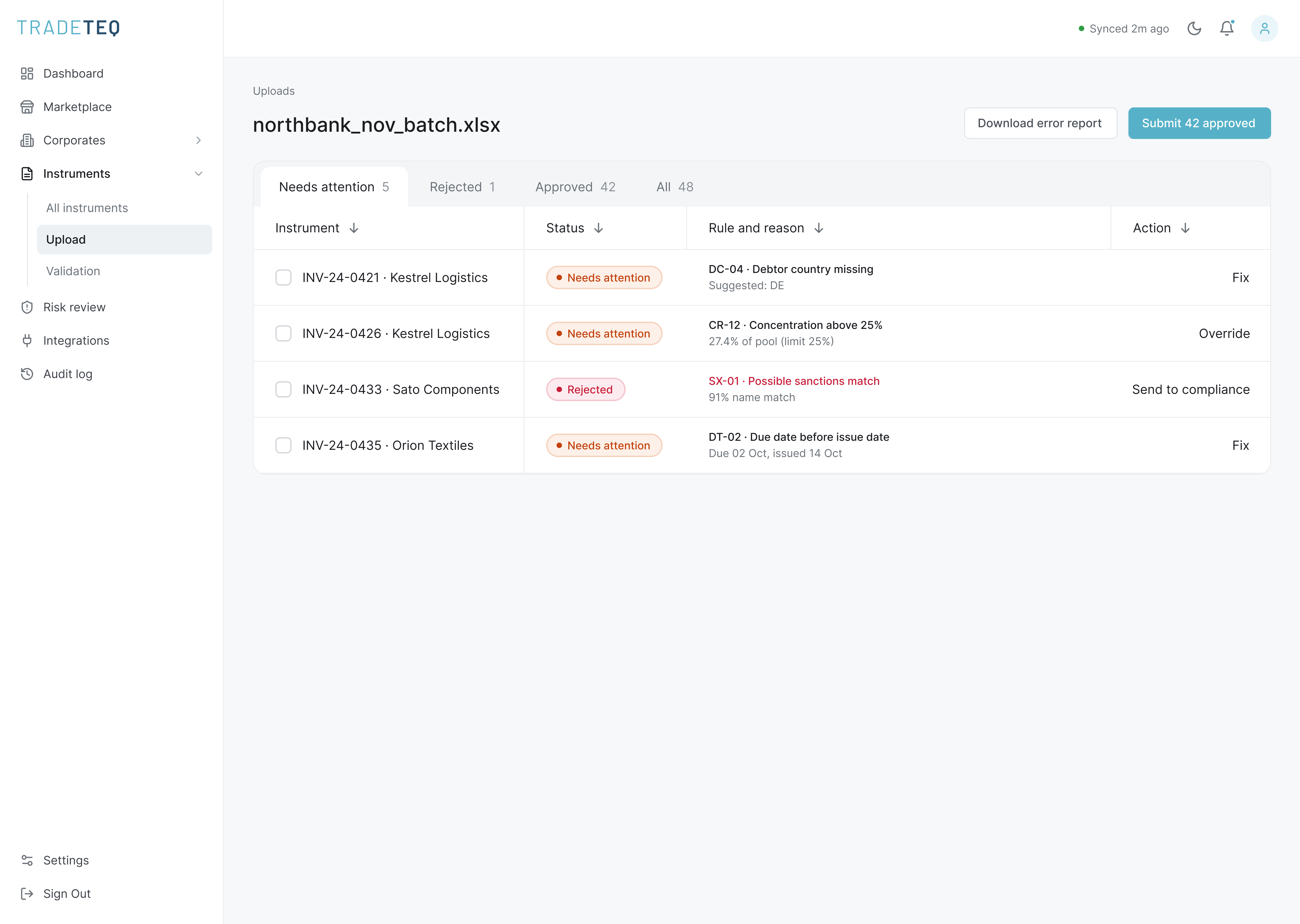
02. Reviewing the upload results
The results show which records need a correction, which need an exception review and which go to compliance. Each row names the failed rule, explains the reason and offers the relevant action.

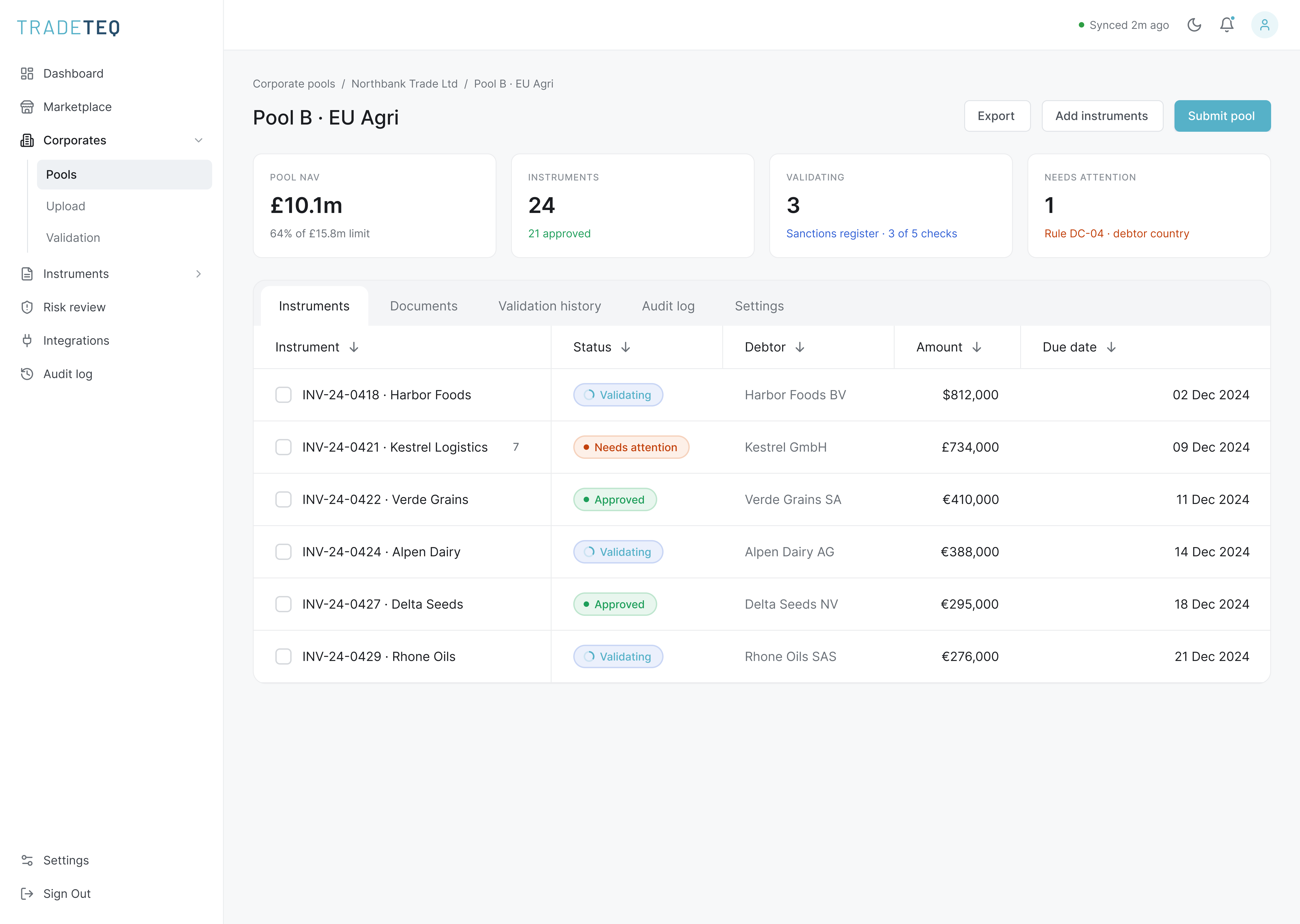
03. Viewing instruments in a corporate pool
The pool screen shows the instruments alongside the corporate and pool details. Users can check an instrument’s status without losing the information around it.
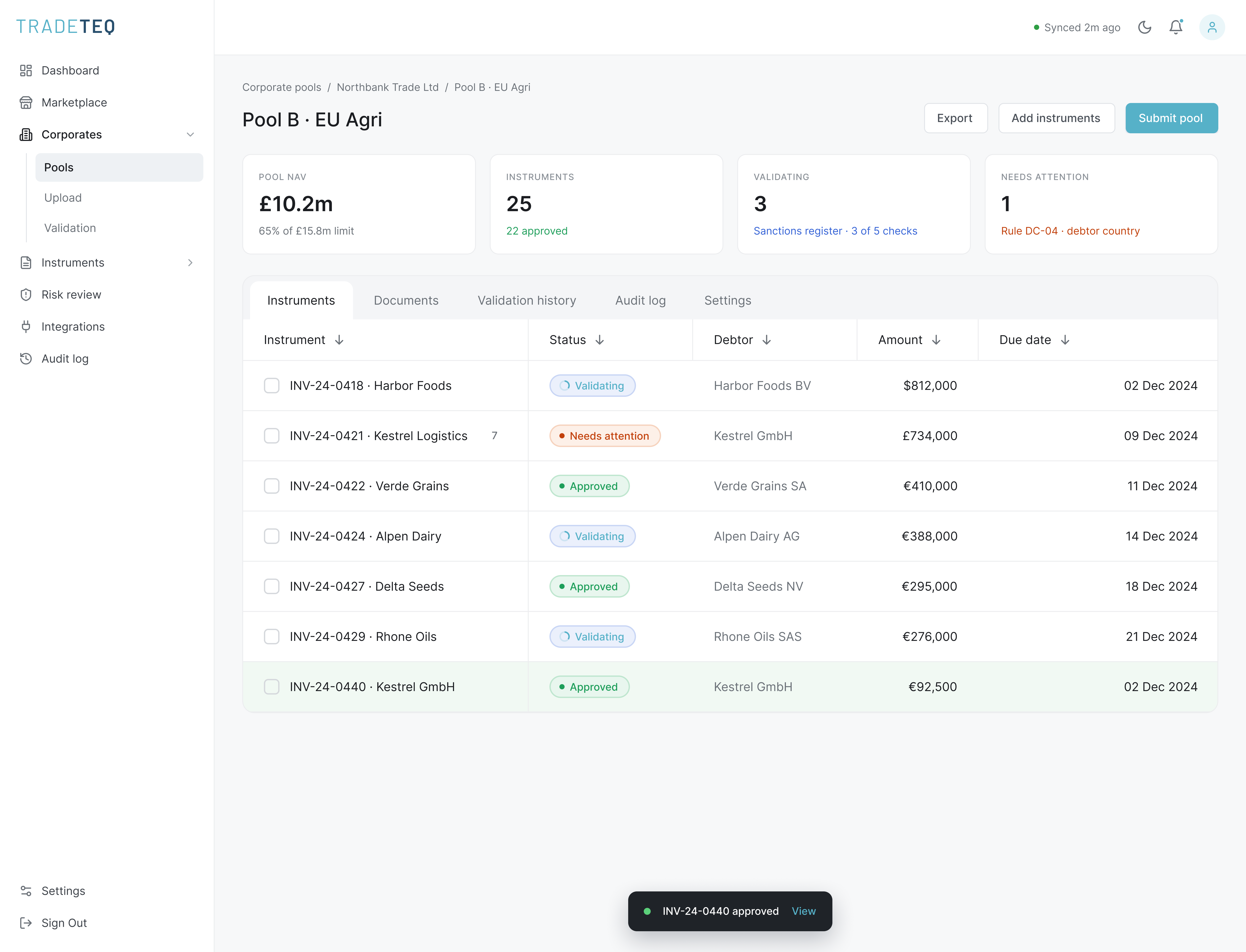
I used the same patterns for adding one instrument and reviewing the full queue. Users can check data while entering it and return to the queue for review.


Date and status filters
Users can choose a preset date range or select their own dates. The current range stays visible, and the results update when they select Apply.
Date range picker. Open with a preset

Date range picker. Selecting a custom range

Status filter. Open

Status filter. One selected


Status filter. Applied to the queue
The filter chip shows the selected status after the menu closes. Removing it shows the full queue again.
Applying or cancelling a filter
The calendar highlights the selected days and shows the written date range. Apply updates the results. Cancel keeps the range that was already in use.
I documented the difference between the range being edited and the one applied to the table. This matters when someone changes a date and then cancels.
Results
After launch, the team tracked validation errors, onboarding time and support tickets. These measures related to the problems identified in the research. The wider platform work also contributed to £1.3M in annual operational savings.
Annual operational savings
Contribution from the Tradeteq platform work
Fewer validation errors
Three months after compared with before
Faster onboarding
About 4 hours to under 80 minutes
Fewer support tickets
Measured over 60 days
- 01
Originators can see why an instrument failed and fix it in place.
- 02
Risk can review exceptions with the reason and decision history in one place.
- 03
Users can tell when a check is still running and when it has failed.
What I learned
Users needed more than an error message. They needed to know which rule failed, which value caused it and what they could do next. Putting that information beside the record made the workflow easier to follow.
Working with engineering helped me understand the waiting and failure states. Next time, I would map those cases before sketching the main screens, rather than adding them later.
I would also track repeat uploads and what happens after an exception is approved. That would help show where people still need support.