
Chart context
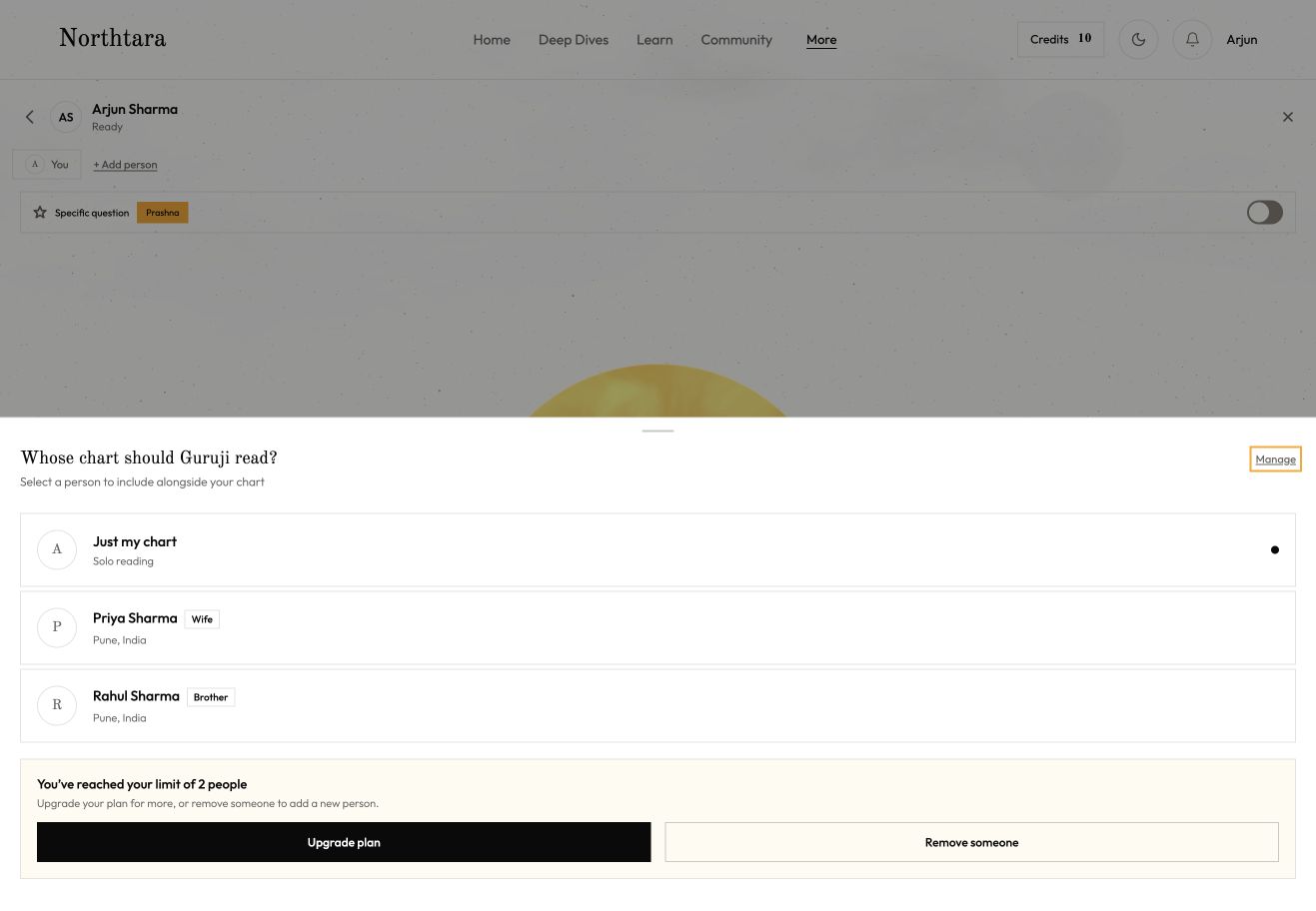
Check permission for every selected profile. Save the profile IDs with the session and hide single person Prashna when another chart is included.
A redesign of Northtara’s web app, helping people get started, read their answers and explore personal reports on phone and desktop.
Research & strategy
Responsive product design
Conversational AI
Design systems
Frontend prototyping
Ongoing
Northtara


Northtara is an AI Vedic astrology companion. People use their birth chart to ask Bhaskar Guruji questions, explore personal reports and learn about astrology. The web app brings these experiences together on desktop and phone.
I worked with the founder and AI engineering team on the product flows, interface and working prototype. The focus was people who had signed in but had not used their credits. We wanted to make a first reading easier to approach, and make the next visit easier to continue.
users
countries
daily active users
Existing app figures supplied by the team. These are the starting point, not results of the redesign.
The app already offered useful features, but moving between them could feel like starting again. We needed to improve the journey while protecting the charts, credits and readings people already had.
The first action needed to be clearer. A signed in account with unused credits was a reason to investigate. We still needed to understand why someone had not started.
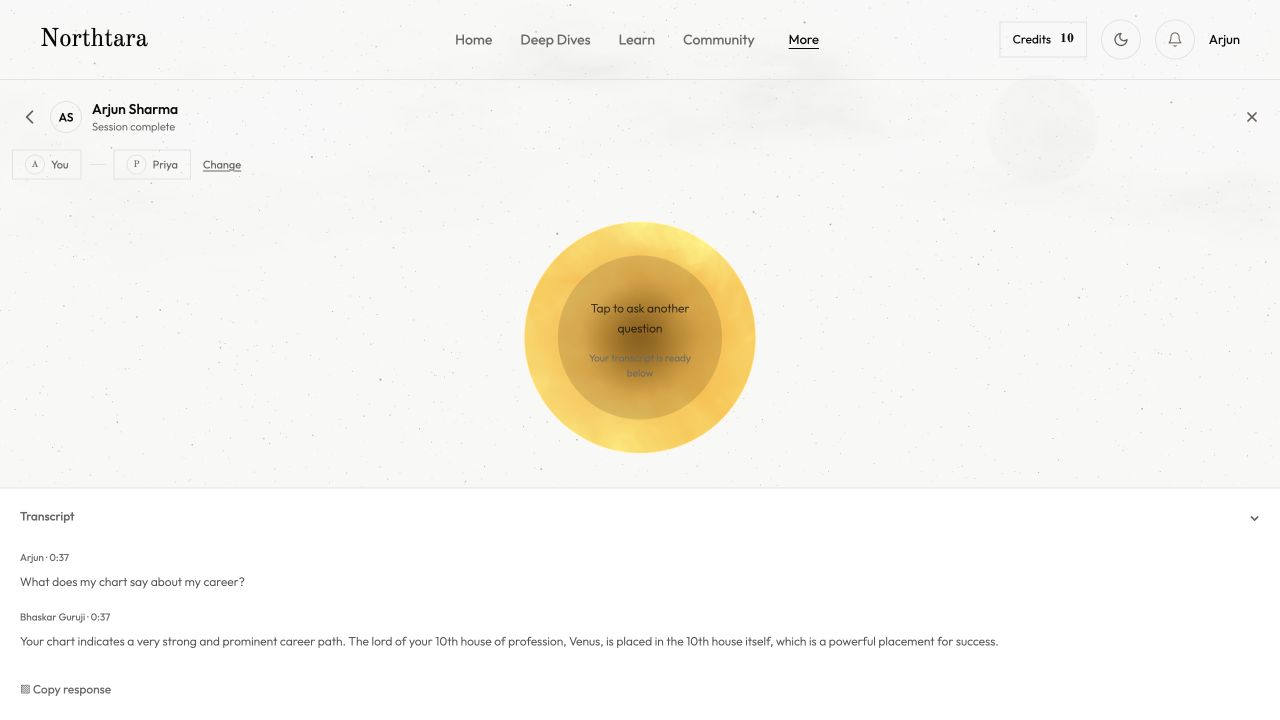
The answer was easy to leave behind. After voice, people went to Profile to find their transcript. The new flow needed to show the answer immediately and keep it saved.
Reports needed more context before a decision. A static description and generate button gave limited room to explore scope, language and access before using credits.
I organised the work into three parts: understand the journey, work through the delivery constraints, and review the decisions that changed the direction. Most of the work here is planning the new experience and making it concrete enough to build and test.
The earlier team summary records 25 interviews in India and the UK, a survey sent to 200 web users with a 68% response rate, and a review of 12 apps. I used that background alongside the current app and product review to organise the redesign. The boards below document the planning and requirements; they are not a new set of interview results.


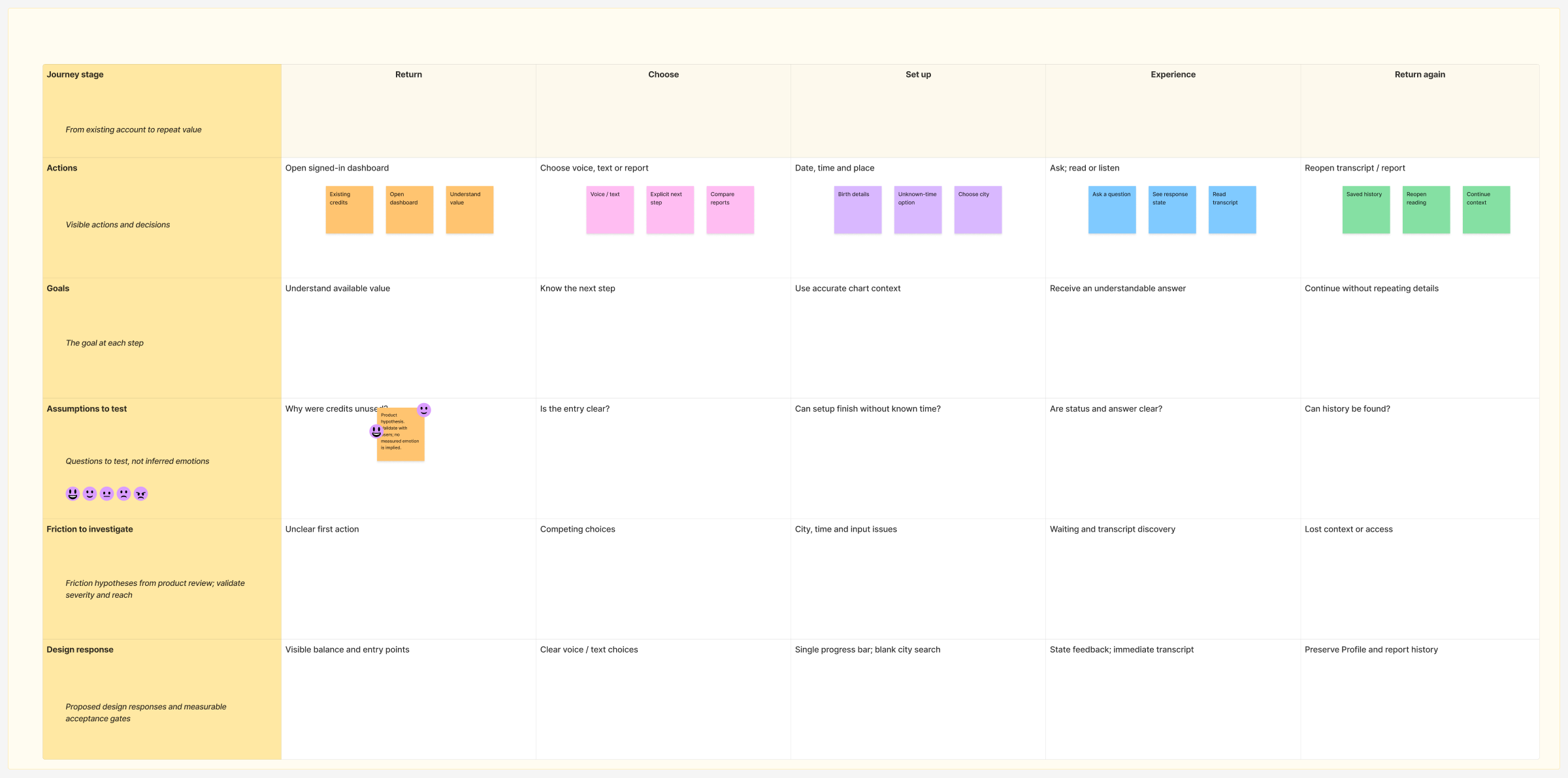
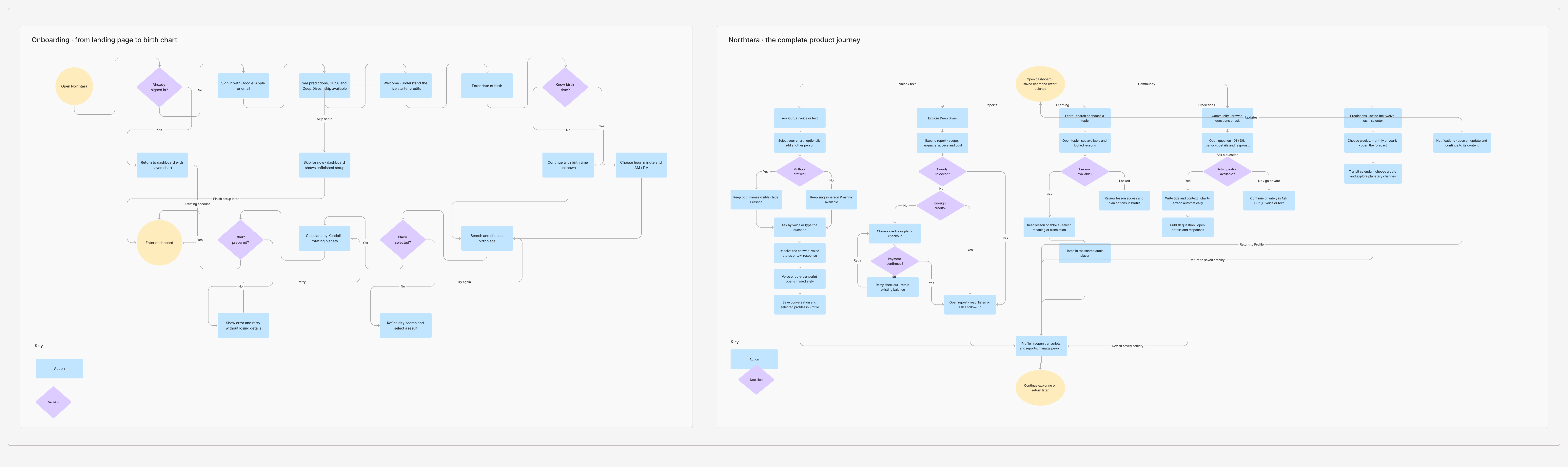
I mapped the journey from returning with credits to choosing an action, setting up a chart, receiving an answer and finding it again. This helped us look beyond individual screens: where does the context come from, where is it saved, and what happens when something fails?
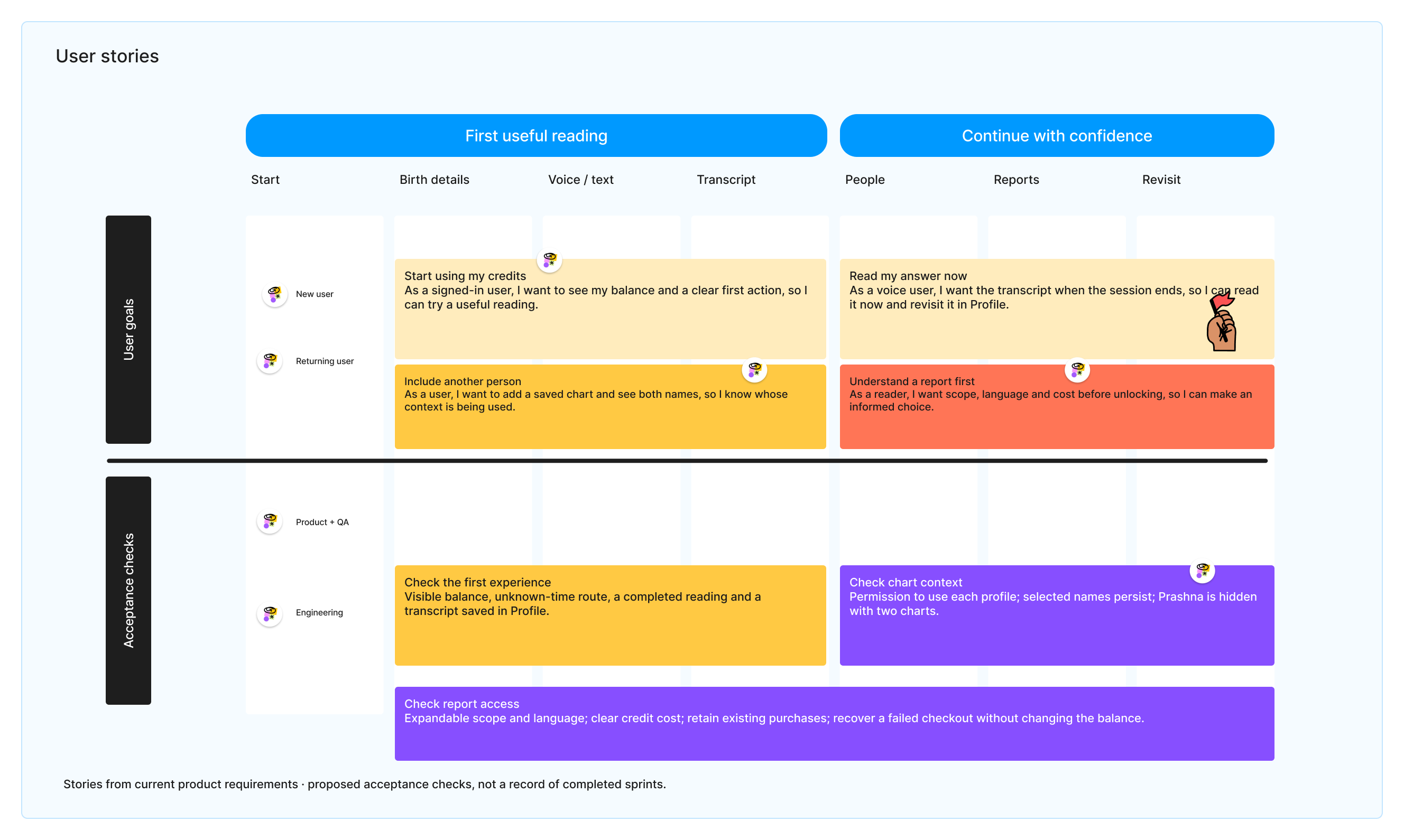
I wrote one set of user stories around a first reading, immediate transcripts, another person’s chart and report access. The acceptance checks made the handover more concrete: what should stay visible, what must be saved and what must keep working for an existing account.
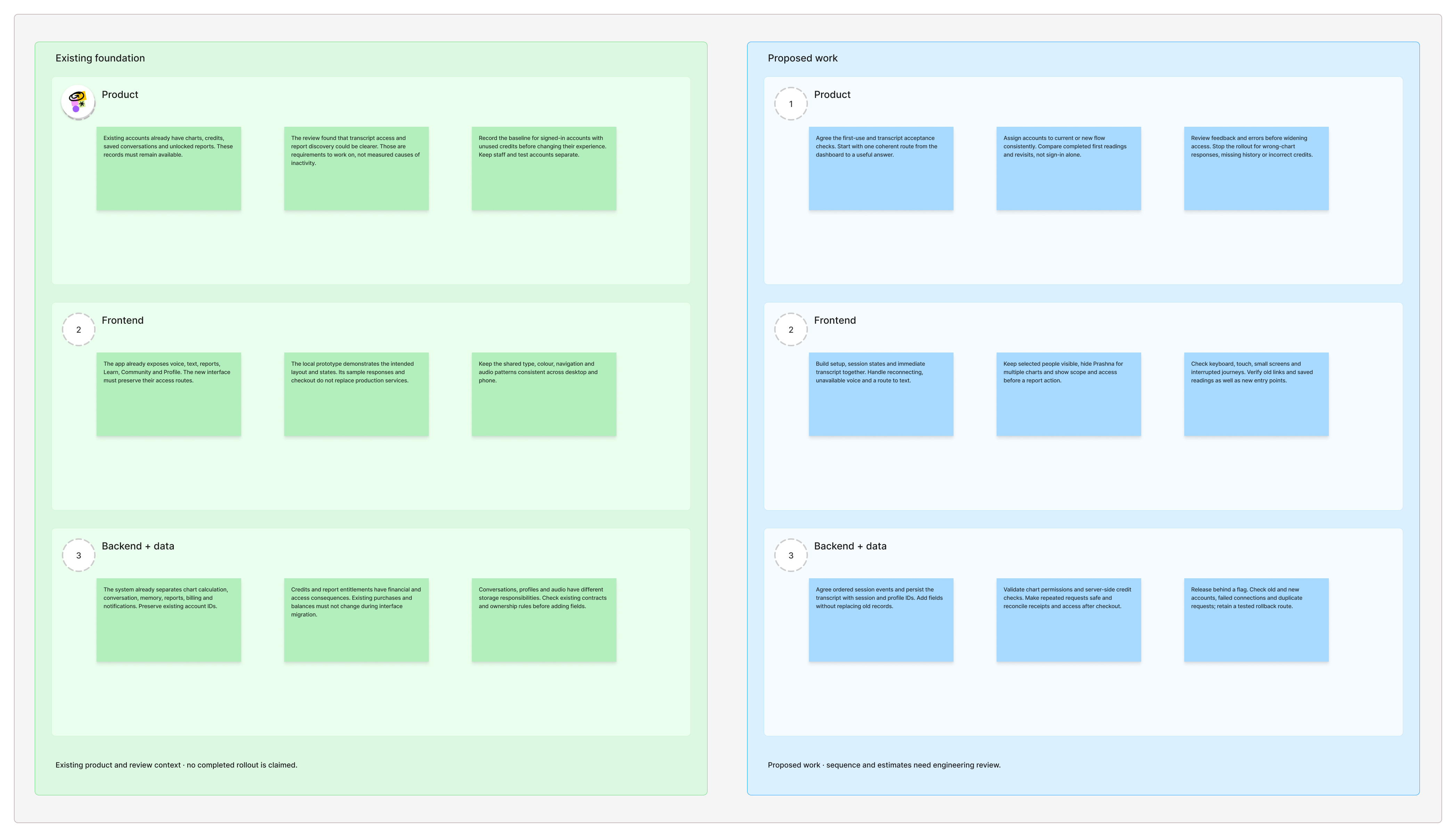
The roadmap separates the existing foundation from the proposed work for product, frontend and backend. Setup and transcripts come first; multiple profiles depend on permissions and saved context; reports depend on entitlements and background jobs. Engineering needs to confirm capacity and estimates before dates are agreed.
Co Star makes a daily update and personal context easy to find. The Pattern connects personal themes with relationships and timing. Astrotalk makes the route to a consultation clear through language, expertise and price. For Northtara, the useful question was how to make one next step obvious while keeping the person’s chart and available credits in view.
My role was to connect the experience we wanted with the work behind it. I mapped what the interface needed from a session, which chart each answer used, where a transcript would live and when a credit action was allowed. This gave the founder and engineering team a shared plan to review, rather than treating the redesign as a set of screens.
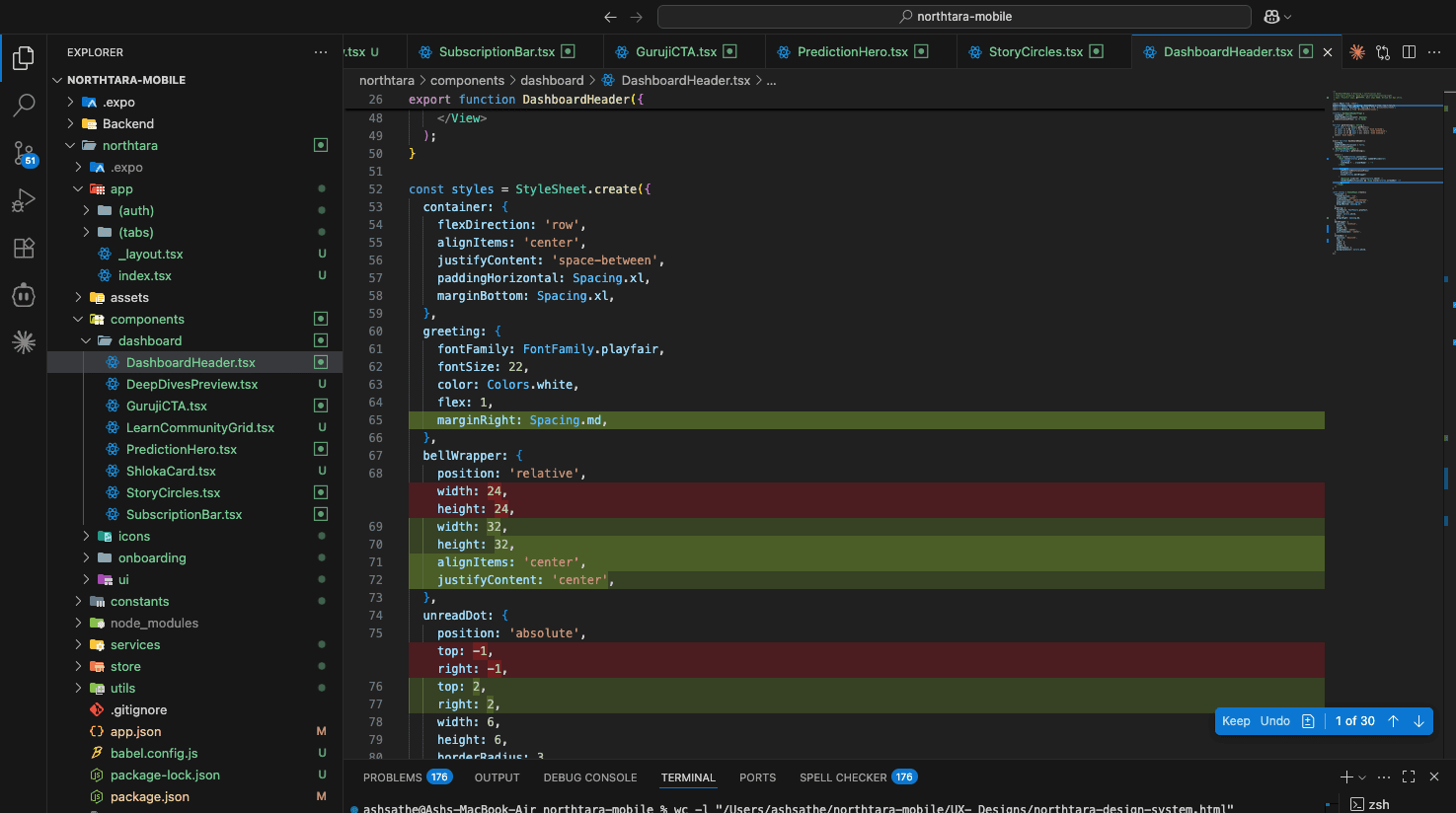
The frontend needs clear ready, listening, responding, complete and reconnecting states. The backend needs to associate each event with the right session and selected profiles. A transcript should remain readable after a connection drops, and a completed answer should be available again in Profile.
Check permission for every selected profile. Save the profile IDs with the session and hide single person Prashna when another chart is included.
The supplied architecture separates conversations in MongoDB, account and financial records in PostgreSQL, session caching in Redis and media in object storage. Preserve the existing IDs and history.
Report generation may finish after someone leaves the page. Keep access and charging checks on the server; retries must not create duplicate charges or lose an existing purchase.
Add fields without replacing old records. Use a release flag, test existing accounts and interrupted journeys, and keep a route back to the current flow.
I used a working local prototype to check the connected journey on desktop and phone. It makes session states, the person picker, report summaries and audio controls reviewable before production integration. Its sample AI replies, narration and checkout do not replace the live services.
The product review moved the focus from how individual screens looked to what happened between them. We kept the useful parts of the existing product, but changed when information appeared and how people reached it. These are decisions from the review, not claims of a completed user test.
Open the transcript at the end of voice. Keep Profile as the familiar place to find it later.
Show report scope, language and access before the unlock. Keep reading and narration in the same route.
Show the selected people throughout the session. Remove Prashna when the reading includes more than one chart.
We plan to compare the current flow with the new one for signed in accounts with unused credits. Keep each account in one assigned group and exclude staff and test accounts. The main measure is a completed first answer or reading per exposed account, with transcript revisits and return use as follow up measures.
Before release, the team needs to agree sample size, test duration and a definition of completion. Wrong chart answers, missing history, lost report access or incorrect credits are reasons to stop and restore the current flow.
The main changes follow the same idea: give people the information they need at the moment they need it.
Before, the public catalogue focused on a description and a generate action. The new stack opens a summary so someone can understand the report, choose a language and check access before moving into the reading.
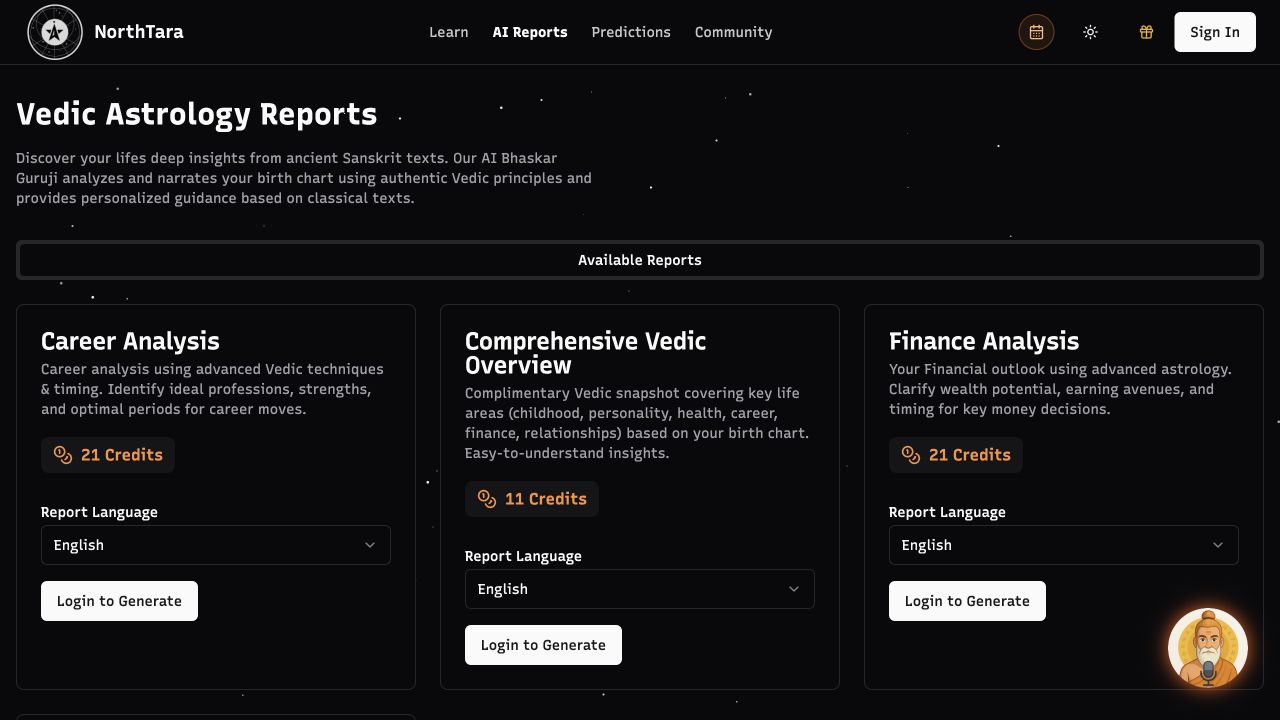
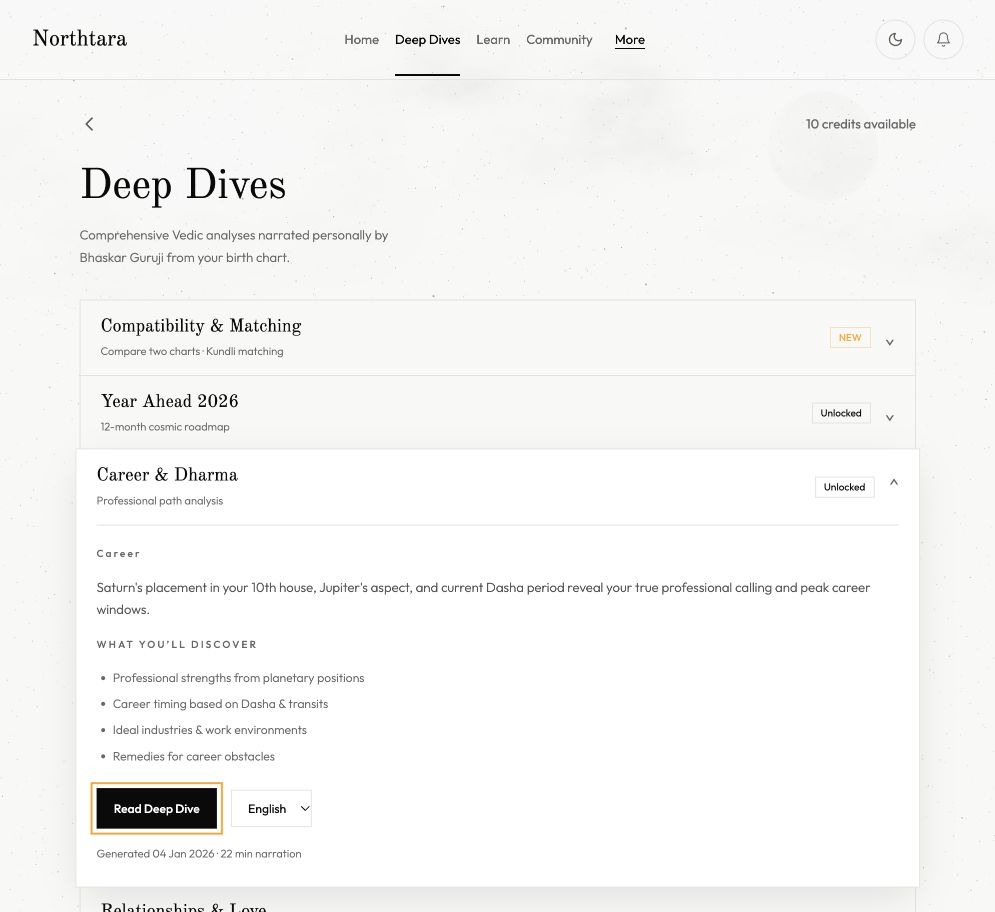
Before, the transcript lived in Profile. Now it opens when voice ends and remains saved there. Adding another chart also keeps both names visible, so the person can see whose context is active.
The original V2 desktop screens bring together onboarding, conversations, reports, learning, community, people and account states in both light and dark themes. Blue connections meet the source and destination frames, including the alternative and recovery paths.

The work produced a connected redesign and a working prototype for review. It also made the delivery decisions clearer: what the interface must show, what the services must save and how to protect existing accounts.
A clearer first route. The prototype brings setup, available credits and the next action into one journey.
An answer people can keep. Voice completion reveals the transcript, with saved access through Profile.
More context before a choice. Reports expose scope and access; shared readings keep the selected people visible.
I would start with the smallest complete route in which a person signs in, finishes a first reading and finds the answer again. That gives the team a useful test of the experience and its underlying services before widening the release.
Track session completion, transcript opening and report access with consent, without sending private questions or birth details to analytics. Keep public learning content available to search and private readings outside search indexing.